One-Click Execution
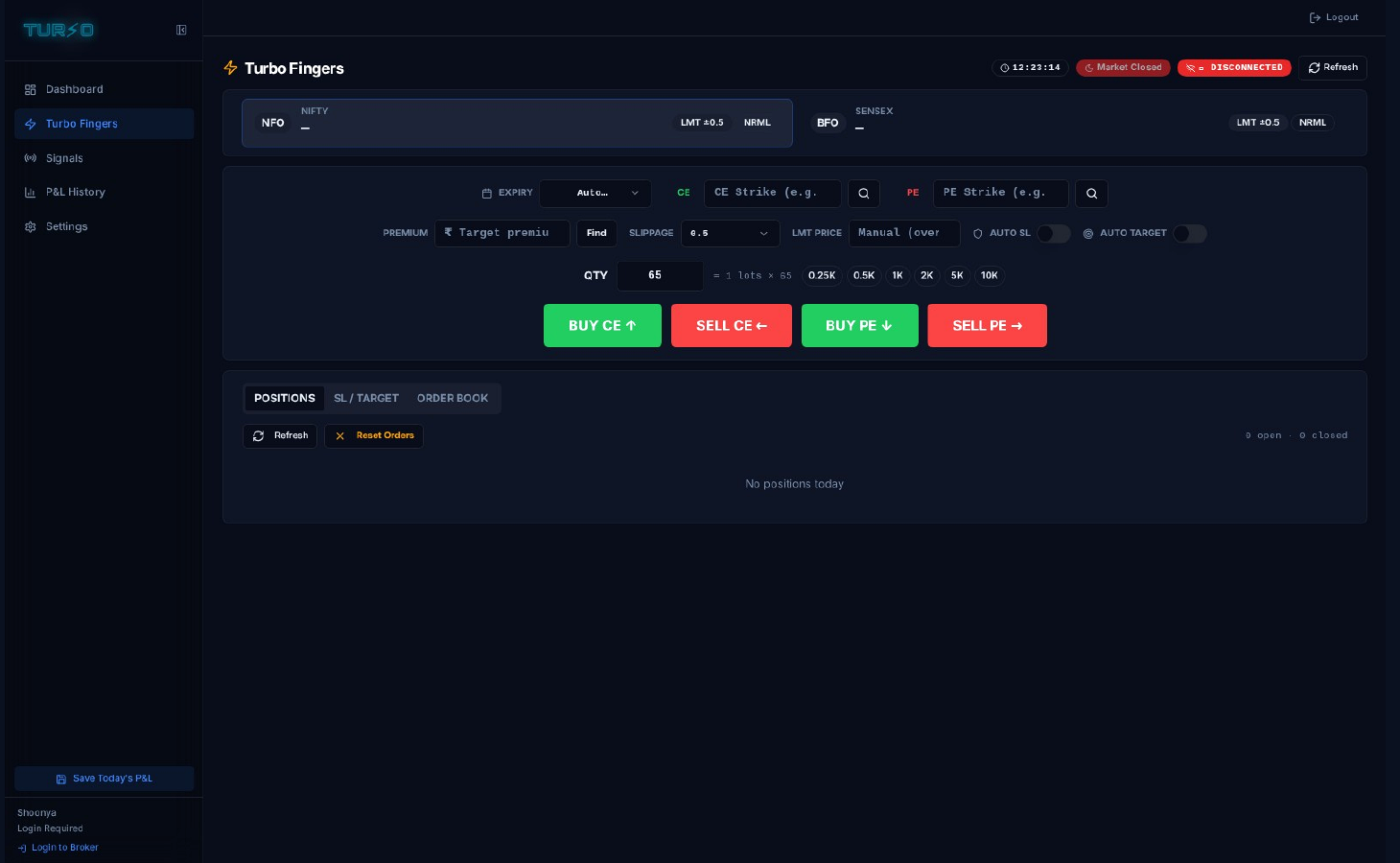
BUY CE, SELL CE, BUY PE and SELL PE are available as four dedicated execution buttons connected to the selected broker API.
High-speed execution for Indian index derivatives
A single-screen options cockpit that turns NIFTY, BANKNIFTY and SENSEX trading decisions into precisely priced broker orders — in one click.
What is TURBO?
TURBO handles the execution plumbing so the trader can focus on the trade. Every essential control is kept within reach — strike, quantity, price, slippage, protection and order direction.
BUY CE, SELL CE, BUY PE and SELL PE are available as four dedicated execution buttons connected to the selected broker API.
Enter a target premium and TURBO walks the live option chain to select the closest available CE or PE strike.
Entries can arm stop-loss and target orders, including multi-tier targets, linked exit handling and optional trailing logic.
Broker traffic leaves from a local proxy on the trader's registered IP. Credentials and execution sessions stay on the local machine.
The cockpit
No menu diving in the middle of a trade. TURBO automatically maps NFO for NIFTY and BANKNIFTY, and BFO for SENSEX, while keeping strike discovery and order controls together.
Choose the underlying; the correct derivatives exchange is mapped automatically.
Search by target premium or select a strike manually.
Set slippage, manual limit price, quantity, auto stop-loss and auto target.
Submit the required CE or PE action without leaving the screen.
Deterministic workflow
TURBO follows a defined execution sequence instead of relying on last-second manual order entry.
Enter a target price. TURBO queries the live option chain and returns the nearest CE or PE strike.
TURBO reads LTP, applies the chosen slippage buffer and builds a LIMIT order rather than a naked market order.
Large quantities can be split according to exchange freeze limits and the instrument's current lot size.
The order leaves through the local broker proxy from the trader's registered IP.
After fill confirmation, configured stop-loss and target orders are attached through the protection engine.
Automated risk & reward
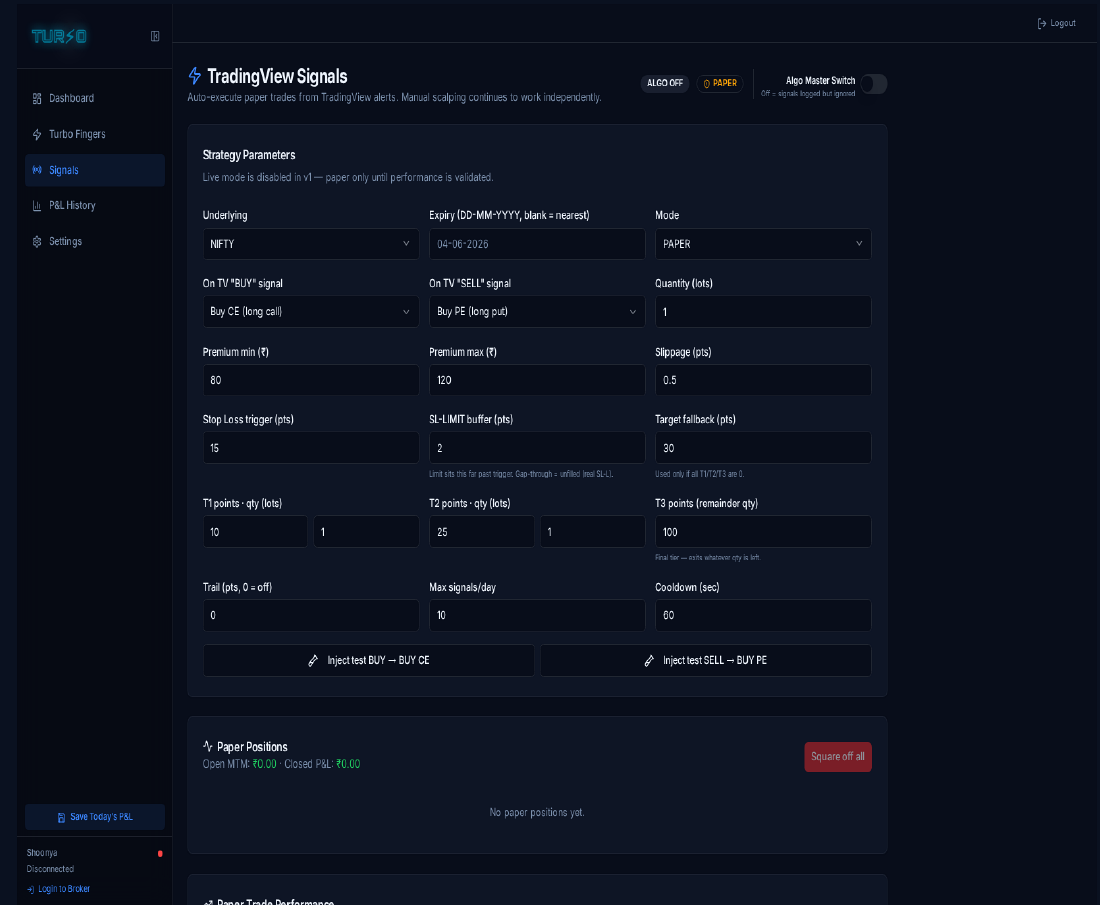
TradingView to TURBO
Webhook alerts can carry the underlying, expiry, direction, premium band, target ladder and guardrails. The automation module is intentionally paper-first until strategy performance is validated.
Under the hood
A local-first architecture separates broker sessions and keeps market data, order routing and P&L persistence close to the trader.
Orders, quotes, stop-loss and target calls leave through a local process on the registered IP.
Broker WebSocket feeds deliver live premiums, with REST polling available as a fallback.
Shoonya and FlatTrade credentials are stored separately so broker switching does not create session collisions.
Live polling runs only during the configured Indian market window to avoid unnecessary API load.
Linked exit state helps prevent both stop and target from attempting to close the same quantity.
Daily snapshots can be grouped by Indian financial year for structured review and record keeping.
Visibility after execution
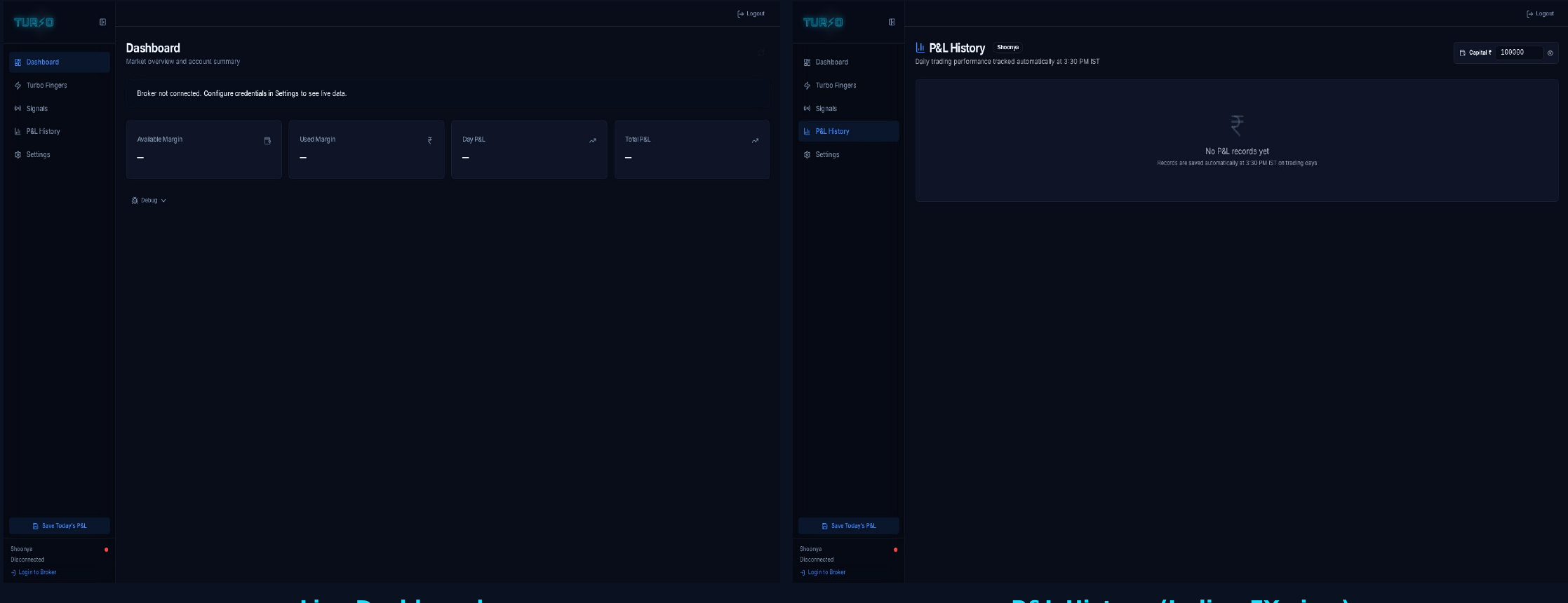
The dashboard keeps execution, open positions and P&L review inside one workflow, including an Indian financial-year view for historical records.
TURBO / PRODUCT ACCESS
Current broker integrations: FlatTrade and Shoonya by Finvasia. Supported index derivatives: NIFTY, BANKNIFTY and SENSEX.
*Execution, acknowledgement and fill speed vary with device, internet connection, broker infrastructure, exchange response, order type and market conditions. Futures and Options trading involves substantial risk.